Knowing exactly which email you use for your My Chewy account login email can save you time and hassle when managing your pets orders and subscriptions. Whether youre trying to sign in, reset your password, or update your profile, having the correct email address on hand avoids lockouts and keeps your pets care routine smooth. This guide walks you through every step to find your Chewy login email easily, ensuring you never miss an important autoship delivery or order confirmation again.
Why Login Email Matters
Your login email is the key to accessing everything Chewy offersfrom timely pet food deliveries to tracking health supplies. Imagine missing a critical shipment of your dogs flea medication just because you cant remember which email you registered with. This email also safeguards your personal and payment information, so entering the right one helps protect your account from unauthorized access.
I once struggled to locate my login email after switching phones. Missing a simple confirmation email delayed my autoship order just when my cat needed wet food the most. That experience taught me how important it is to keep your login info accessible and updated.
Find Your Chewy Login Email
Check Your Inbox for Welcome or Confirmation Emails
Start by searching your email inbox for common Chewy message subjects like Welcome to Chewy, Account Confirmation, or Order Receipt. Use keywords such as Chewy, Welcome, or Order Confirmation in your email search bar. Be sure to check your spam or promotional folders in case these emails were filtered.
For example, a welcome email might have a subject like Welcome to Chewy! Your new account is ready. This is often sent immediately when you create an account and confirms which email you registered with.

Use the Forgot Email? Feature on Chewys Sign-In Page
If you cant recall your login email, visit Chewys sign-in page and look for the Forgot Email? option, if available. This feature typically lets you enter your phone number or full name to retrieve the associated email address. Follow the prompts carefully and check the linked email or phone for further instructions.
Locate the Email via Order Confirmation Messages
Order confirmation emails always show the address used for ordering. If youve ever saved or forwarded an order receipt, check the From or To fields to find your Chewy login email.
This step is helpful if you order frequently, as the confirmation is sent shortly after each purchase and often includes the registered email at the top of the email header.
Verify Through the Chewy Mobile App
If you have the Chewy app installed on your smartphone, signing in there lets you view the registered email quickly. Open the app, head to My Account, then Profile. Your login email usually appears under the profile section, letting you confirm which email is connected to your account.

Contact Chewy Customer Service for Email Recovery
When all else fails, Chewys customer service team can help you recover your login email. Call their support number at 1-800-672-4399 or use the live chat on their website. Having your phone number, full name, and purchase details ready speeds up verification. Customer service is friendly and can guide you safely through regaining access to your account.
Common Mistakes Hiding Your Email
- Typos in your email address during account creation.
- Registering with an old or rarely checked email (work vs. personal).
- Using only a phone number to sign up, without remembering the email tied to it.
- Assuming your spouses or partners email was used when it was actually yours.
Double-check these possibilities to narrow down where your login email might be hiding.
Reset Your Password
Use Chewys Forgot Password? Workflow
Once you know your login email, visit the Chewy sign-in page and click Forgot Password? Enter your email address to receive a reset link. Typically, the email arrives within a few minutes. Follow the link promptly to create a new strong passwordaim for 12+ characters, mixing letters, numbers, and symbols.
When Password Reset Emails Dont Arrive
If you dont see the password reset email within 10 minutes, check your spam or junk folder. Mark emails from @chewy.com as safe or add the sender to your whitelist. Also, confirm that you entered the correct email small typos can block the reset email.
Two-Factor Options & Account Security
Chewy offers optional two-factor authentication via SMS. Enabling this adds a layer of securityyoull receive a code on your phone each time you log in from a new device. This helps keep your pets order history and payment details protected, especially when sharing devices among family members.
Manage Multiple Accounts
Consolidating Duplicate Accounts
Some pet parents accidentally create several accounts with different emails. If you notice separate order histories or autoship plans under different emails, contact Chewy support for help consolidating. Merging accounts makes managing your dogs or cats‘ needs smoother and prevents missed shipments.
Access Autoship Settings
Visit My Account Autoship Manage to view and edit your recurring shipments. Check quantities, delivery dates, and product options. This is especially handy for regularly ordering pet food or medication so that your furry friend never runs out.

Viewing Order History & Tracking Shipments
Once logged in, access your purchase records by going to chewy.com/app/orders. Here, youll find detailed tracking for previous and current orders, which helps when coordinating your pets feeding or medication schedules. Filters let you search by date or pet for convenience.
For straightforward pet food options, see our guide on chewy dog food.
Using the Chewy App for On-The-Go Management
The Chewy mobile app offers a user-friendly way to check your login email, edit orders, update payment methods, and manage autoship from anywhere. This is perfect for busy pet parents juggling vet visits, training sessions, and daily care.
Exporting Purchase Data for Vet or Tax Records
If you need receipts for pet care budgeting or reimbursement, download your order invoices as PDFs from your order history. Keeping these organized helps when tracking expenses or sharing diet info with your veterinarian.
Troubleshooting Sign-In Issues
Clear Browser Cache & Cookies
Sometimes, login problems stem from old cached data or corrupted cookies. Clear your browser cache or use an incognito/private window to rule this out. This method resets your session and often resolves loading or credential errors.
Try a Different Device or Network
If sign-in issues persist, change your location by switching to mobile data instead of Wi-Fi, or try using a different device. This verifies whether network settings or device issues are interfering with login attempts.
Error Messages Explained
Invalid email usually means you typed the login email incorrectly. Account not found suggests the email is not registered with Chewydouble-check for typos or try any alternative emails you may have used.
Recent Account Lockout Due to Security
Repeated failed login attempts trigger temporary locks for your safety. Waiting 1530 minutes usually resolves this. If locked out longer, contact Chewy support with your identification details to restore access.
Reddit & Community Experiences
Pet owners on forums like Reddit often report similar issues. Common tips include emailing yourself the account info once found to avoid future loss and regularly updating contact details for quick recovery.

Safeguard Your Chewy Login Email
- Use a trusted password manager such as LastPass or 1Password to store your login email and password securely.
- Enable notification alerts for sign-ins or password changes to stay informed about account activity.
- Regularly verify and update your contact information under My Account Profile for seamless communication.
- Avoid sharing your login email and password on public forums or social media to prevent unauthorized access.
According to the FTC, practicing good online security habits protects your personal info and financial details effectively.
How long does it take to see results with account email recovery?
Recovery usually takes just a few minutes if you have access to your phone or associated email. Contacting Chewy support may extend this to a few days depending on verification requirements.
Is my Chewy login email safe for my dog or cat?
Your login email itself is not a physical item for your pet, but ensuring its secure prevents disruptions to your pets care and order management. Keeping your login details confidential helps maintain steady access to vet-approved food and supplies.
Can I use multiple emails for one Chewy account?
No. Each Chewy account links to only one login email. To manage multiple pets or orders, use autoship and order features within that single account.
What if I forgot my email password? Can I still login to Chewy?
You can reset your Chewy password using the Forgot Password? link, but if your email password is forgotten, you must first recover your email account through your email provider before accessing Chewy.
How do I update my login email in Chewy?
Chewy currently does not allow changing your login email directly via account settings. You need to contact customer service to discuss account updates if you want a different email login.
Can I link my phone number as an alternative login?
Chewy may ask for your phone number during account setup or for two-factor authentication, but the primary sign-in method remains your registered email and password.
Why didnt I receive Chewys confirmation email?
Check your spam or promotional tabs if you dont see confirmation. Typing errors at signup or security settings can block emails. Add @chewy.com to your safe sender list and try resending the confirmation.
Pro Tips for Managing Your Chewy Account
- Always double-check the email you use to sign uptypos cause most login headaches.
- Use a consistent email address across all your pet care providers for easier record keeping.
- Vet-recommended: Schedule autoship orders according to your pets feeding or medication cycle to avoid shortages.
- Watch out for low-cost knock-offs when ordering pet food online. Low prices often mean poor ingredients or expired stock. For quality options, try trusted products from our chewy dog food guide.
More You Might Like
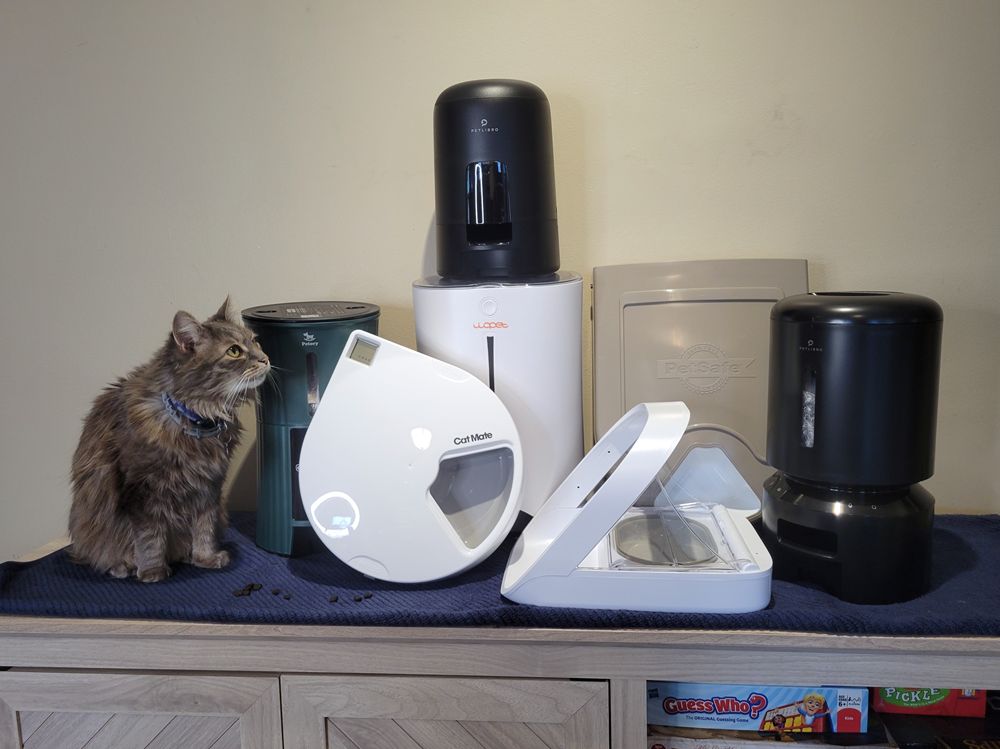
Explore our detailed post on the Automatic cat feeder wet food to keep your feline friend nourished even when youre away. For outdoor pups, check out the Best dog jacket with built-in harness, keeping your dog warm and secure during winter walks.
Conclusion
Finding your My Chewy account login email ensures quick access to your pets favorite food and supplies without interruptions. Keep your login details handy, use a password manager, and regularly update your contact info to avoid login stress. Try these tips next time you manage your account, and share what worked best for you in the comments. Keeping your login smooth means your pet stays happy and cared for.
FAQs
How long does it take to see results with My chewy account login email?
Recovery of your login email usually takes just a few minutes if you have access to your phone or associated email account. Contacting Chewy support may take a few days depending on their verification process and your provided information.
Is My chewy account login email safe for my dog or cat?
Your login email itself isn’t a physical item for your pet, but securing it ensures uninterrupted access to their food, medication, and supplies. Keeping your account secure helps maintain consistent care and avoids delays in orders.
What should I do if I forget which email I used to log into Chewy?
Try searching your email inboxes for Chewy-related messages or use Chewy’s “Forgot Email?” feature on the sign-in page. If those don’t work, contact Chewy customer service with your personal details for assistance in recovering your login email.
Can I use multiple emails for one Chewy account?
No, each Chewy account is linked to only one login email. To manage multiple pets or orders, use autoship and order features within your single account rather than creating separate emails.
How do I update my login email in Chewy?
Chewy does not currently allow you to change your login email yourself. To update your login email, you must contact Chewy customer service, who can guide you through possible options or account updates.